Check where the short link leads to
The address in the attachment may start with vm.tiktok.com or vt.tiktok.com. Open it and compare the video with the image, author’s name, or caption. The abbreviated preview in messages sometimes shows only a part of the caption.
If you have a profile, search or sound page, open the right video and take a link via "Shape" in the video itself. If an address has been cut off, copy it again from the original message.
Send the address SaveBot
A complete link is also appropriate if you open the same video. If there are several links in the original message, send only the address of the selected ad.
- Copy the short link completely, including the symbols after the website name.
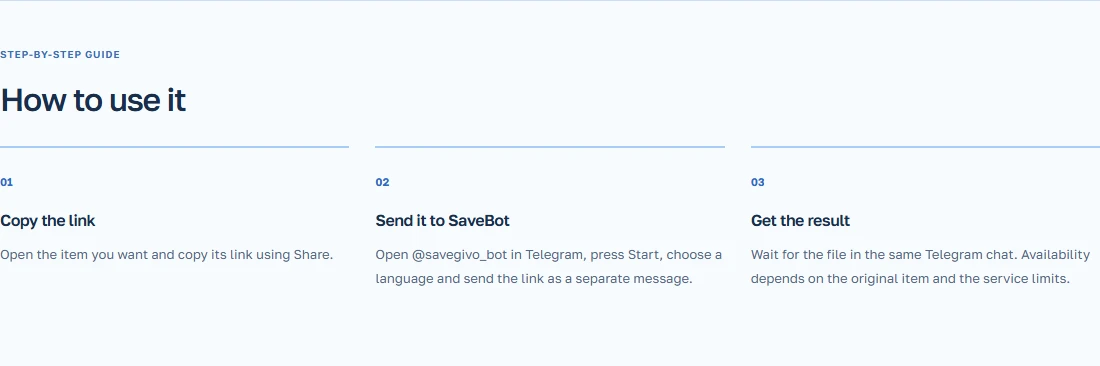
- Open your personal chat SaveBot. When it starts for the first time, choose a language.
- Please include the address in the message and send it.
- Wait for the video file and open it in the chat.
Example with the recipe from the email
A familiar person sent two videos with similar recipes. Open the short link and compare the first frame with the ingredients. After downloading, check the last few seconds of the file to ensure it shows the exact dish we need.
If a different video is created, go back to the chat and check which message the address was copied from. When the video is deleted, you can ask the creator to share a accessible copy.